
Why Your Electronic Message Center Looks Blurry — And How to Fix It
 You just had your electronic message center installed — maybe at your business in Cartersville, Cumming, Gainesville, or somewhere else in metro Atlanta or north Georgia. The sign looks great from the street. Then someone sends you a logo file to display, you upload it, and suddenly your crisp brand mark turns into a blurry smear of pixels.
It happens more often than you would think. The problem is almost never the sign itself — it is usually the content, the resolution setup, or the way the hardware specifications were presented during the buying process.
Understanding resolution for EMC signs is not complicated, but it is very different from print design, website graphics, or television displays.
An electronic message center does not use DPI (dots per inch) the way a printer or monitor does. Resolution is determined entirely by the sign’s native pixel dimensions, which are fixed by the physical LED modules installed inside the display. Create content at exactly those pixel dimensions and your graphics will display correctly. A qualified EMC sign company should provide those specs on day one.
Why the Resolution Rules You Know Do Not Apply to an Electronic Message Center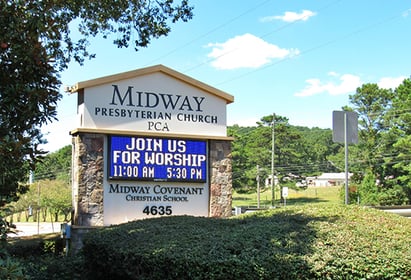
Most business owners are familiar with standard resolution guidelines. Print projects call for 300 DPI. Websites display at 72 DPI. You upload a high-resolution logo and expect it to look sharp everywhere.
Electronic message centers do not work that way.
An EMC sign is a physical grid of LED modules, and the resolution is determined entirely by how many actual LEDs exist on the display and how tightly they are spaced — not by a DPI setting. Uploading a 300 DPI image will not make the display look sharper. The sign can only display as many distinct points of light as physically exist on the screen.
That is why native pixel dimensions matter more than anything else.
True Pixels vs. Virtual Pixels: What Many Buyers Do Not Realize
One of the most misunderstood — and sometimes misleading — parts of the LED sign industry is the difference between true pixel resolution and what is often marketed as virtual pixels, enhanced pixels, or pixel sharing.
Some imported LED manufacturers advertise inflated pixel counts that create the impression of a higher-resolution display than what physically exists. On paper, the display may appear to offer dramatically more resolution for a much lower price. In reality, the sign may not contain that many true physical pixels.
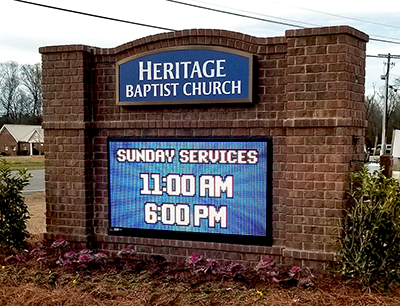 True pixel resolution means every pixel shown in the specification represents an actual physical LED pixel on the display.
Virtual pixel or pixel-sharing technology attempts to simulate additional resolution through software processing and shared LED clusters. While it can improve perceived smoothness in certain situations, it is not the same as having additional real LEDs physically installed in the display.
This is important because buyers often compare two EMC quotes side by side and assume the lower-priced sign with the larger advertised pixel matrix is the better value. Many times, it is not an apples-to-apples comparison.
A quality EMC sign company should clearly explain:
- the true physical pixel count
- the native resolution of the display
- the actual pixel pitch
- how the sign will realistically look from the intended viewing distance
At Signs and More, we focus on real-world readability and long-term performance — not inflated marketing numbers.
What Resolution Does an EMC Sign Need?
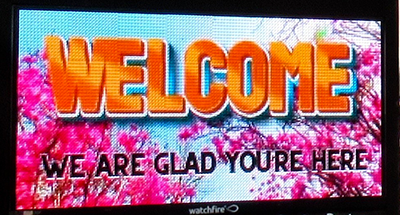
The specification that controls sharpness is called pixel pitch — the distance in millimeters between the center of one LED cluster and the center of the next. A lower number means tighter LED spacing, more pixels per square foot, and greater clarity at closer viewing distances.
Common outdoor pixel pitches include:
- P16 (16mm) — for larger signs and further from the street
- p10 (10mm) — common for roadside monument and pylon signs
- p8 (8mm) — sharper image quality with excellent roadside readability
- p6 (6mm) — higher detail for closer viewing distances
- p4 (4mm) — premium close-range viewing applications
- p2 to p3 — typically used indoors or in covered applications
However, pixel pitch alone does not determine image quality.
Viewing distance and physical sign size matter just as much.
A large roadside billboard using 16mm or 19mm resolution can appear incredibly sharp from the road because viewers are naturally farther away. Likewise, a properly sized 8mm or 10mm EMC can display photos, logos, and graphics extremely well when viewed from normal roadway distances.
This is something we regularly demonstrate during on-site consultations using our demo truck. Many clients initially assume they need the highest resolution available, when in reality a slightly larger sign at a lower pixel pitch often creates better visibility and better value than a smaller sign with ultra-high resolution.
For most roadside EMC applications, the majority of viewers are not standing in the parking lot directly in front of the sign — they are driving by from a distance. Designing for actual viewing conditions is what matters most.
Why Does My LED Sign Look Blurry?
When you upload an image smaller than your sign’s native resolution, the controller stretches it to fill the display by repeating or blending pixels that were never part of the original artwork.
The result is soft, blocky, or smeared graphics. Logos lose their edges. Text becomes fuzzy. Photos start looking abstract.
The most common causes include:
- a small image stretched across a larger display
- incorrect aspect ratios forcing images to crop or distort
- saving a file at high DPI without increasing actual pixel dimensions
- enlarging a small raster logo in Photoshop and expecting it to become sharper
None of those processes create additional pixel information.
 Why Aspect Ratio Matters More Than Most Buyers Expect
One of the most overlooked decisions when purchasing an electronic message center is aspect ratio.
At Signs and More, we typically recommend selecting a digital sign size close to a 2:1 ratio — for example:
- 6' x 3'
- 8' x 4'
- 10' x 5'
This becomes extremely important when clients begin creating content.
Most existing photos, videos, social graphics, and marketing materials are already designed in widescreen formats such as 16:9 or something close to it. Choosing an EMC size with a similar aspect ratio makes scaling content dramatically easier and reduces excessive cropping, stretching, or zooming.
This is especially important for displaying photography without distortion.
A poorly chosen aspect ratio can make content creation frustrating for years after installation. A properly proportioned sign allows clients to reuse much of their existing content with minimal adjustments.
The Right Way to Create Content for Your EMC Sign
Start by getting the exact native resolution of your sign — the pixel width and height of the LED display itself, not the cabinet dimensions in inches or feet.
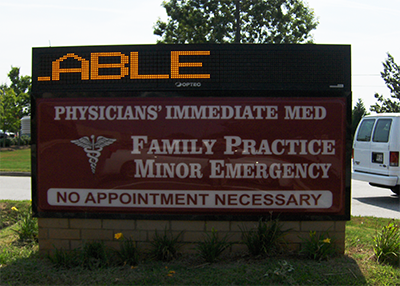
Once you have those dimensions:
- create artwork at the exact native pixel size
- work at 72 DPI — higher DPI does not improve LED display quality
- save logos and graphics as PNG files for maximum sharpness
- convert vector logos to raster format at the exact display size
- avoid scaling small raster images upward
- avoid thin strokes under 2 pixels wide, which may flicker or disappear
When Signs and More installs a commercial LED sign in Marietta, Kennesaw, Alpharetta, Roswell, Canton, Woodstock, Gainesville, Cumming, or elsewhere in metro Atlanta and north Georgia, we provide the native pixel dimensions as part of every project handoff so there is no guesswork when creating content.
Hardware Quality Matters Too
Content quality is only part of the equation. Hardware quality also plays a major role in how sharp, readable, and reliable your EMC looks over time.
Signs and More installs Watchfire electronic message centers — one of the most trusted names in commercial LED signage. Watchfire displays are known for consistent brightness, accurate color reproduction, durable construction, and long-term outdoor reliability.
Their UL-listed electrical systems also help simplify permitting requirements across many Georgia municipalities.
We manage the entire process in-house, including:
- design
- engineering
- permitting
- manufacturing
- installation
That includes municipal sign ordinance review in cities throughout metro Atlanta and north Georgia, so clients are not left coordinating multiple vendors on their own.
 Signs and More: Electronic Message Center Installation in Metro Atlanta and North Georgia
Getting your EMC content right starts with choosing the right sign company.
Established in 2007, Signs and More is a family-owned, full-service EMC sign company serving metro Atlanta and north Georgia. We design, permit, manufacture, and install commercial LED message center signs — and we provide every client with the exact specifications needed to make their content look sharp from day one.
If your current EMC content looks blurry, distorted, or difficult to read — or if you are planning a new electronic message center and want honest guidance on resolution, viewing distance, sizing, and hardware quality — give us a call.
Real people answer the phone.
Signs and More
770-383-8808
signsmoreinc.com